Physics-based jump simulation · snow & dirt
Solve the jump.
Then shape it.
Kickers, step-downs, doubles — in snow or in dirt. Park Dynamics calculates approach speed, flight path and landing impact before the first shovel goes in.
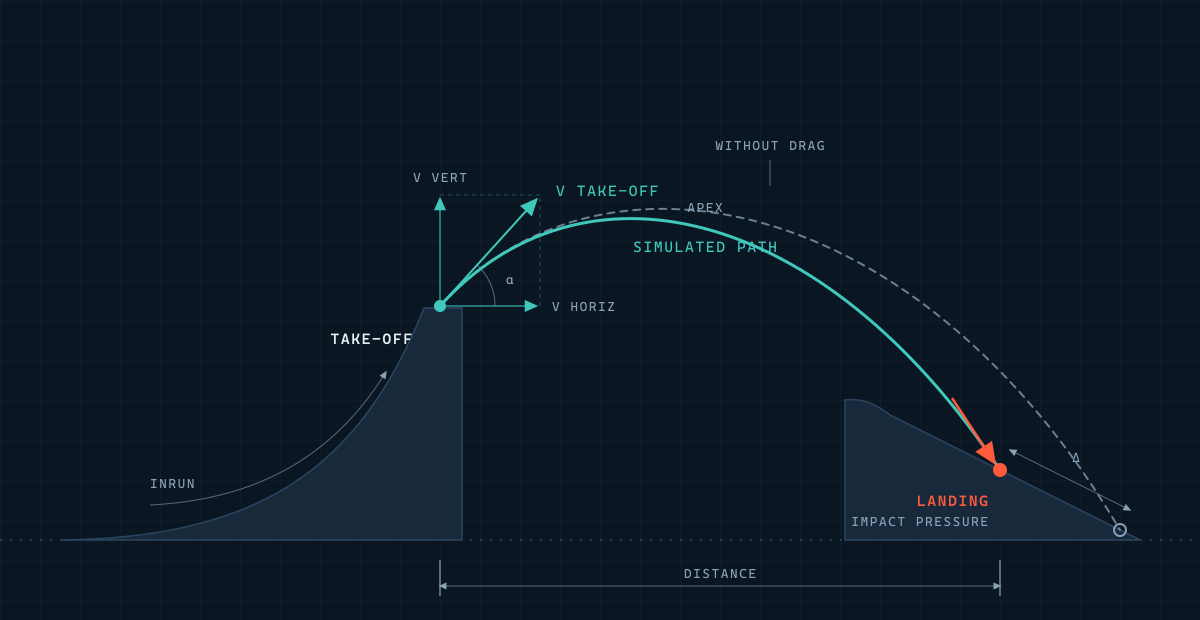
Inrun
Velocity at take-off
Flight
Trajectory & landing point
Landing
Impact pressure
Every calc
Aerodynamic drag included
Why Park Dynamics
Built for the line, not the spreadsheet
Built on real physics
Inrun velocity, flight trajectory and landing pressure — modelled with the same aerodynamic drag equations used in engineering, not rules of thumb.
Catch mistakes before you build
Test a line on screen first. Spot an under-built landing or an off take-off angle before it costs you a rebuild — or a rider.
One engine, every scale
A phone check between laps. A full CAD workflow for a contest build. Snowpark or bikepark — same physics underneath, sized to the job.
Products
Three tools. One mission.
Better lines and safer landings — from a lift chair, a trailhead, or a workstation.

01 · Mobile
Android App
Quick checks, on the hill or at the trail
Set up a jump in a few taps and see take-off speed, flight path and landing point before you build.
- Build any jump setup from a few parameters
- Inrun velocity at take-off
- Flight trajectory & landing point
02 · CAD Plugin
Rhino Plugin
Full control for complex builds
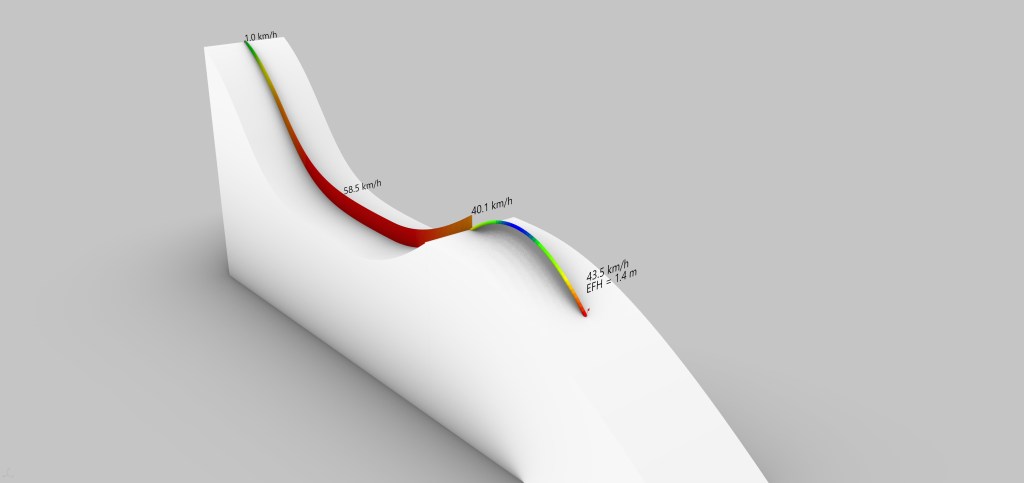
Model multi-feature lines directly in Rhino3D, with friction and drag accounted for at every section.
- Multi-feature lines with friction & drag models
- Iterate quickly with precise constraints
- Project-ready exports & documentation

03 · Consulting
Consulting & Custom Projects
Hands-on, when it matters
For contest builds and one-off lines: on-site input, custom models, and documentation your crew can build from.
- On-site assessments & line reviews
- Custom friction/drag modelling & constraints
- Simulation reports, exports & documentation
State-of-the-art simulation
Every jump, broken into three calculations
01
Inrun
Delivers velocity at take-off.
02
Trajectory
Determines the landing point.
03
Landing
Impact pressure, and speed into the next section.
+
Drag
Runs through all three — not bolted on after.
Most tools stop at basic friction. Park Dynamics integrates aerodynamic drag and advanced physical models into every calculation — from inrun velocity to landing forces — so the numbers hold up closer to what actually happens out on the build.
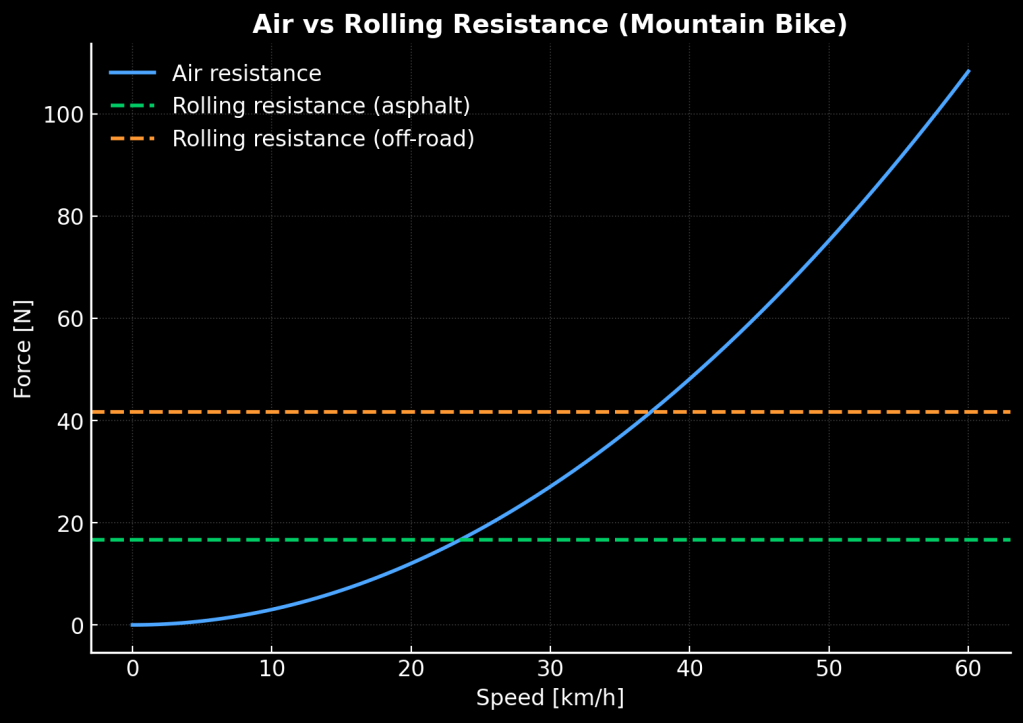
Air resistance (blue) rises with speed and quickly overtakes rolling resistance. Ignore drag, and the forces on paper stop matching the forces on the ground.
Ready to design your dream park?

Park Dynamics
Jump simulation for snowparks and bikeparks.

